
When I first started studying photography, I was really intimidated by everything related to studio lighting and photo shoot equipment.
There was one particular session in which we had to recreate lighting inspired by paintings, using all kinds of different lights and modifiers, such as softboxes.
I was tasked with putting the leading light in a specific position, but I stumbled over the cable and broke the (expensive!) light bulb.
I also remember hating how long it took to set up all the different lights, and I was totally dumbfounded in regards to using the light meter.
However, studio photography really doesn’t have to be complicated.
Sure, you can create a complex set-up with three or four different lights and additional tools such as reflectors, but you can just as easily use one light and still achieve many different effects.
In my home studio, I started out with one studio flash and one softbox—a super simple set-up that served me well for a long time.
I have now added a few more items to my photo shoot equipment list.
However, these truly are optional, so don’t feel like you can’t take professional self-portraits or portraits until you have a fully equipped studio!
No Expensive Studio Needed
By the way, you don’t even need a dedicated studio space.
Sure, it helps to work in an ACTUAL photography studio, but not everyone has a suitable room in their home or can afford to rent one.
I take all my self-portraits in my living room, setting up whichever kit I need for the day and then tidying it away after the shoot.
So don’t worry if you don’t have access to professional photo shoot equipment – you can still make it work.
OK then, let’s move on to my photo shoot equipment list for portraits and self-portraits.
You don’t have to buy everything on this list, but some basic items are essential for a photography studio – I’ll mark those as “Essential”.
I’ll also give you some “Optional” add-ons you can purchase whenever you have some spare cash and want to expand your photo shoot equipment collection.
(Just so you know: This post contains affiliate links. As an Amazon Associate I earn from qualifying purchases).
1) Camera and Accessories
First, let’s talk about cameras and accessories like lenses and camera cards.
Camera – Essential
You can find thousands of articles about picking the perfect camera, and everyone has a different favourite regarding brand and specs.
One thing to keep in mind, though:
My photography teacher used to say, “The best camera is the one you’ll use,” so don’t overcomplicate things.
Buy the best camera you can afford, but nothing overly fancy or high-tech you don’t need.
Here are some tips specifically for portrait and self-portrait photography:
Important: Reliable Autofocus
Get a camera with a good autofocus system.
I recently upgraded to the Sony Alpha 7IV, a camera known for its excellent autofocus.
It’s worth paying attention to that because, as a portrait or self-portrait photographer, you will need a good autofocus system to get your shots nice and sharp.
Mirrorless vs. DSLR
Mirrorless or DSLR: In principle, it doesn’t matter.
However, DSLR cameras are slowly being phased out by almost all brands because mirrorless cameras have a lot of advantages:
They are lighter, have improved autofocus (important for self-portraits; see above!), offer fast and silent shooting, and more.
I only recently switched to mirrorless and love it. Of course, a DSLR will do the job, too.
However, for technical reasons, most DSLRs have two different autofocus systems.
This can make getting the focus right in a self-portrait trickier, so I favour mirrorless.
Full Frame vs. Crop Sensor
Technically, you don’t need a full-frame camera.
(Full-frame means that the light sensor at the back of the camera is larger than in a camera with a crop sensor).
However, if you take your photography seriously, plan on printing your images, or want to do a lot of creative editing, I recommend investing in a full-frame camera.
Bonus Tip: Important Feature for Self-Portraits
If you like taking self-portraits, get a camera with Bluetooth/WIFI compatibility that connects to an app.
Most modern DSLR and mirrorless cameras offer this but check before you buy.
The app acts as a remote trigger, which makes taking your own portrait much easier.
Best Camera for Portraits & Self-Portraits
Full Frame: Sony Alpha 7 IV
My absolute favourite full-frame camera for self-portrait photography is the Sony Alpha 7IV – you can buy it here.
For a full camera review of the Alpha 7IV, check out this post on best self-portrait cameras!
If that’s over your budget, try the equally great Sony Alpha a7 III or get a second-hand camera like I did.
Canon Alternative
If you prefer Canon, check out this alternative, which is also an excellent choice for portraits and self-portraits:
Camera Card – Essential
Unless you’re shooting film, you will also need a memory card for your camera.
I recommend you invest in a card with a lot of storage space straight away – it’s super annoying when you constantly have to delete pictures from your card because you’re running out of space.
Also, memory cards have gotten relatively cheap, even the ones with a lot of storage capacity, so you won’t have to spend as much money as you used to for the same product.
My SD Card Choice for Portraits & Self-Portraits:
My favourite memory cards are by SanDisk, I find them very reliable and good value for money. Try this one here:
Lens – Essential
Lenses are a tricky subject simply because there are SO many to choose from, and it’s tempting to think you have to invest in a whole collection when you’re starting.
In reality, you will be absolutely fine with having only one or two lenses in your self-portrait photography kit—you can always upgrade and expand your collection later.
Most people will already have a zoom lens that came with their camera – if that’s the case for you, start with that one.
Upgrade Option: 50mm or 80mm Prime Lens
If you do want to invest in an additional high-quality lens, I recommend starting with one 50mm prime lens.
50mm lenses closely match the field of view of the human eye (when used on a full-frame camera) and, therefore, are versatile (as opposed to, say, a wide-angle lens, which can lead to distortion).
Also, a 50mm lens is great for small space:
For example, if you were to use an 85mm lens in the same space, you would have to place the camera further back to get the same framing.
When buying lenses, try to buy a high-end one if you can!
It will make a big difference in sharpness and overall image quality. It’s better to buy one high-quality lens than three cheap ones!
Another excellent lens choice is an 85mm prime lens, a classic portrait lens because you can achieve a beautiful shallow depth of field effect (like in the iPhone “portrait mode”).
My Lens Recommendations for Portrait & Self-Portrait Photography
For my own studio, I only use two lenses:
One 50mm prime lens and one zoom lens, which allows me to shoot at a cinematic 35mm wide angle.
If you’re a Sony full-frame user, I recommend this 50mm lens.
I also use a Sony E-mount zoom lens similar to this one here.
Tripod – Essential
A lot of items in self-portrait photography are “nice to have” optional add-ons, like, for example, softboxes.
On the other hand, a tripod is an essential piece of photoshoot equipment simply because it makes things so much easier.
Sure, you can prop your camera against some books or other objects, but that’s very tedious and quickly leads to frustration.
Tripods don’t have to be expensive; they come in handy when taking self-portraits or using a slower shutter speed.
Recommended Tripod for Self-Portrait and Portrait Photography:
Budget version: Try this one for a nice entry model:
Deluxe version: If you can, invest in a slightly more expensive tripod like this one, as these give you more flexibility regarding camera position:
Manfrotto Element MII 4-Section Tripod with Ball Head
For Self-Portraits: Camera App or Remote Trigger
If you like taking self-portraits, I recommend you use a tool to help take your shot.
Almost all cameras have an in-built self-timer button, but it’s not a practical option as it makes focusing quite hard, plus you have to keep running back to the camera and pressing it!
From my experience, the easiest way to take a picture is to use an app connected to your camera (through WiFi or Bluetooth).
This is great because you can focus via your phone screen, adjust the camera settings, and take the shot straight from your phone.
If your camera isn’t compatible with this app or there is no such app available for your model, you can buy a wired or wireless trigger.
So that you know, you have to pick one that is compatible with your camera model.
Spare Battery – Optional
This is definitely an optional add-on to your photo shoot equipment list, but if you take portraits or self-portraits often or use studio lighting, invest in a spare battery.
Nothing is more frustrating than stopping your shoot because your battery is empty (trust me…I’ve been there!!!).
Lens Filters – Optional
If you want to invest in fun camera accessories, try lens filters.
My favourite are soft focus filters, which give your images a beautiful, dreamy aesthetic.
To ensure you buy the correct filter size, check the diameter of your lens; it’s usually printed on the side of the lens with this symbol: ⌀.
For example, the diameter of my Sony E-mount 50mm prime lens is ⌀49mm, so I would need to buy a filter with ⌀49mm.
My Favourite Special Effect Filters:
I love using these soft focus filters – you can buy a pack of two in different strengths.
Another nice option for creative self-portraits is prism filters, such as this one here.
They create a very cool kaleidoscope/rainbow effect and are a fun addition to your photo shoot equipment list.
Before I get to the next section…if you love taking portraits, check out my free portrait photography ebook:
Free Ebook: 50 Portrait Photography Ideas
If you need fresh inspiration for your portrait photography, download my e-book which contains 50 creative ideas and projects for portrait photography.

…but now, back to the blog post!
2) Lighting
Next, let’s talk about some lighting additions for your photo shoot equipment collection!
Studio Flash with Trigger – Essential
When it comes to lighting, you can actually achieve a lot with very little.
If you’re new to studio photography, invest in one studio flash to begin with.
Please don’t be intimidated by flashes.
I used to only use continuous lighting because it’s easier to set up, but it has many disadvantages (for example, it gets uncomfortably hot and isn’t as powerful).
With the flash, you need only buy a compatible wireless trigger that is attached to the hot shoe on your camera.
Then, the flash gets triggered every time you take a shot.
If you need a crash course on artificial lighting, check out my YouTube video below:
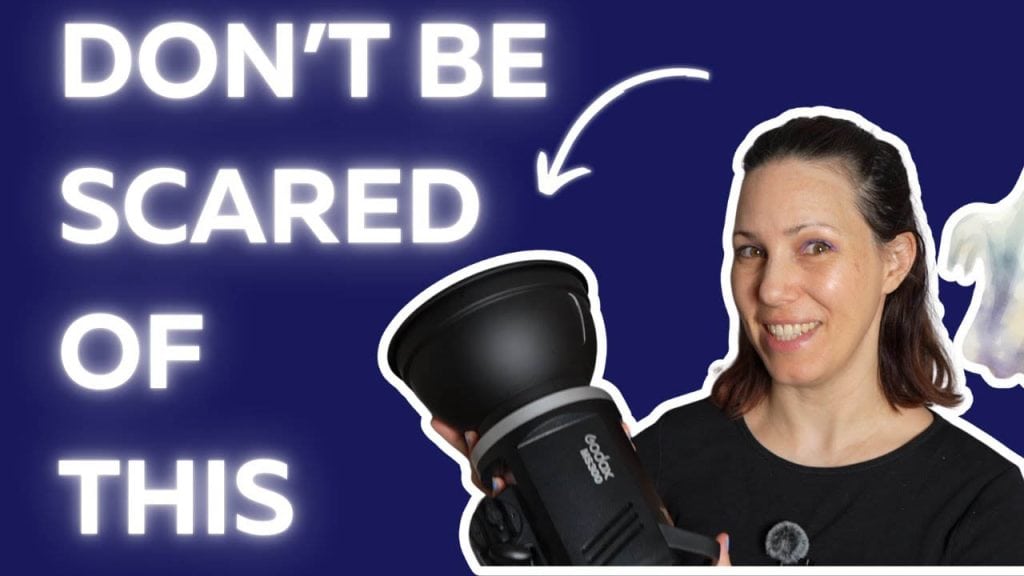
The Best Studio Flash for Self Portrait Photography
Here’s a great entry model flash for your photo shoot equipment list.
Just make sure you buy a compatible trigger—you will have to find one for your specific camera brand (Sony, Nikon, etc.).
Also, keep in mind that you choose studio flashes and accessories with the same mounting system—I recommend a kit with the most widely used Bowens mount.
Light Diffuser – Essential
By light diffuser, I mean an accessory for your studio flash that allows you to modify the light – like the softbox in this photo:
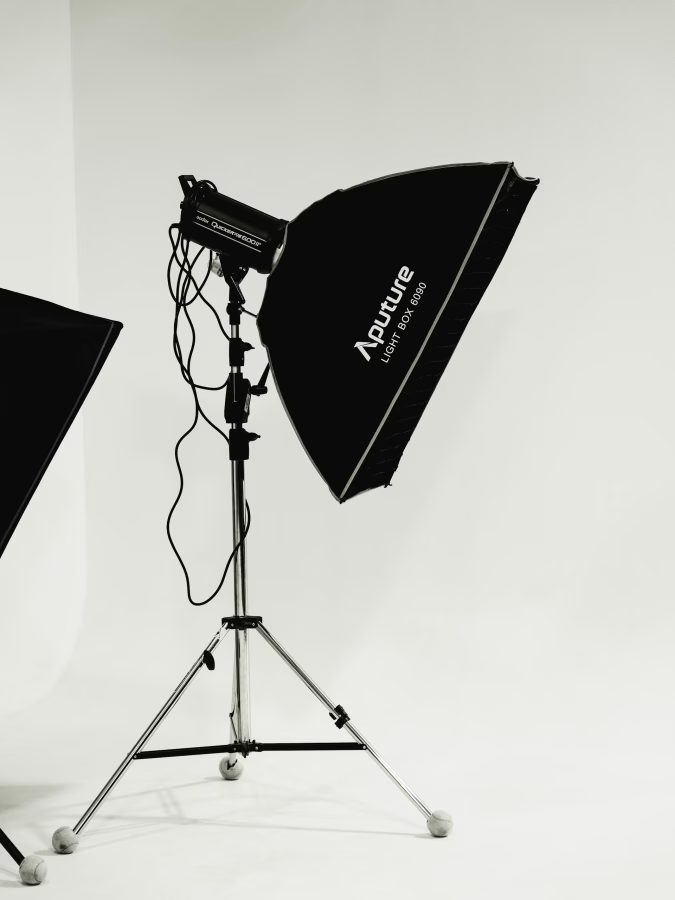
These softboxes are covered with a light-diffusing material, which makes the light less direct and, therefore, more flattering.
They come in various shapes – the most common ones are square, round or octagonal.
I suggest you get at least one softbox for your studio—ideally, a medium-sized one with a 50-60cm diameter.
The larger ones are really heavy and clunky to set up and, thus, more suited to a large, professional studio.
A wonderful alternative to a softbox is a beauty dish—a metal bowl-shaped tool that uses a parabolic reflector to distribute light towards a focal point.
It creates really beautiful, dramatic, yet flattering light, and it’s the one piece of lighting I use for almost every shoot!
I have a small beauty dish that is perfect for my self-portraits.
Best Light Diffusers for Portraits and Self-Portraits:
Small beauty dish with Bowens mount – try this one.
Softbox: I love this softbox because it has the perfect size and is easy to set up:
NEEWER 22″/55cm Octagonal Softbox with Honeycomb Grid
Light Stand(s) – Essential
Make sure to also get a light stand for each studio flash you buy.
I recommend you get one or two extra—they are very cheap, and you can attach all kinds of things to them with these clamps, such as fabric that you use as a backdrop, a reflector, etc.
Recommended light stands for self-portrait photography:
Try this pack of two light stands to start with. You can always get more later on.
Honeycomb Grid – Optional
If you can, get a softbox or beauty dish that comes with a honeycomb grid.
This is a flexible, Velcro-attached grid made of soft material that is attached to the light diffuser and limits the light from bleeding out to the sides.
The effect is very painterly – think Rembrandt paintings.
I use this all the time, and it’s included as a standard accessory with many softboxes (also the one I recommended above).
Reflector – Optional
If you only use one flash, you might find that only one side of your face is lit.
Unless you want to achieve that effect, use a reflector to brighten the shadows on the other side.
Reflectors are actually very inexpensive, so it’s worth getting one!
Also, if you have some extra cash, do yourself a favour and buy a dedicated reflector stand.
In a professional studio, you have an assistant holding the reflector.
However, most photographers don’t have that luxury, and the stand will be a great help here.
My favourite reflector and reflector stand:
Neewer extendable reflector holder arm
Additional Softboxes and Other Modifiers – Optional
Once you’re comfortable using your one studio flash with softbox/beauty dish, you can always extend your photo shoot equipment collection and buy a couple more flashes, softboxes, and other modifiers.
A nice option for full-body shots is a strip light, a long rectangular softbox like this one.
Light Meter – Optional
If you were working as a professional photographer in a studio environment, you would most definitely use a light meter—this helps to get the exposure right.
I never use one in my home studio because I take artistic self-portraits, where the ”correct” exposure is not important.
So, by all means, you can get a light meter, but I don’t think it’s essential at all unless you want to get into commercial photography at some point.
Boom Arm – Optional
If you DO use larger softboxes or professional, large flashes, you should definitely get a boom arm stand.
These stands are way more heavy-duty than the regular ones because they have a counterweight, keeping them from tipping over—essential for working safely in your studio!
Recommended boom arm:
Specialty Lights and Accessories – Optional
If you love experimenting and taking more creative photos, try investing in some special lights and accessories like:
- Coloured gels: These are mounted in front of the light to colour it. You can use one or combine several.
- Special light sources, like a sunset lamp, a black light, etc.
My favourite lighting photo shoot equipment for creative photography:
Coloured gels for photography
A sunset lamp like this one
3) Other Studio Kit
Backdrops – Optional
If you want to create that studio look, I recommend you get a backdrop of some kind.
Of course, you can also use fabric, bed sheets, etc, but a professional backdrop looks much slicker and is easier to set up.
The best choice is a ceiling-mounted system with different paper rolls attached, but these can be pricey, plus not everyone has the space for this at home.
A nice starter alternative is a telescopic backdrop stand, which you can set up and then tidy away after the shoot.
You can then get one or several backdrops to go with it and attach those with clamps.
Check out this post here if you want a more detailed guide about photography backdrops.
Recommended Backdrop and Stand Options:
Fine Art Backdrop by Kate Backdrops (this is just one example, there are lots of different ones by this and other brands available).
4) File Storage and Editing
Now that we’ve looked at the actual photography gear, let’s also talk about file storage/back-up and editing.
External Hard Drive – Essential
As I mentioned in a previous post, an external hard drive is an essential piece of kit.
You put so much work into your photo shoots, so the worst thing that could happen is losing your photos because you didn’t back them up.
I always copy all RAW files straight to my hard drive and then edit from there, plus I back up the hard drive onto ANOTHER hard drive from time to time.
My Favourite External Hard Drives:
I really love the Samsung hard drives – try this one.
A great budget option is this Toshiba hard drive.
Editing Software – Essential
If you take your photography seriously, you should definitely use some editing software.
Even if you don’t want to make creative edits, you will still want to do some basic clean-up, colour corrections and retouching.
My absolute favourite editing software is Adobe Photoshop (I use Lightroom, too, but only for cataloguing and selecting images).
Of course, if you’re not able to invest in an Adobe subscription, you can use free software.
However, the features are usually limited and less powerful, so I think it’s well worth paying the monthly fee.
My Favourite Editing Software:
Tablet for Editing – Optional
If you do a lot of editing, you should definitely invest in a tablet, especially for retouching.
Using the mouse for photo editing is very tiring, plus you have much more control with the tablet pen.
I use a fairly simple, cheap-ish tablet that works wonders.
My Tablet Recommendation for Editing:
I like the XP-Pen tablets – try this option.
Monitor Calibration Tool – Optional
If you plan on printing your images, entering them in competitions or sharing them in digital and traditional media, you should also get a monitor calibration tool that calibrates your colour display.
This ensures that the colours you see in print, etc., look exactly the same as they do on your monitor, so there are no nasty surprises!
It only takes five minutes to do every few weeks and only requires minimal effort, so it’s very user-friendly.
Best Colour Calibration Tool for Photo Editing:
Datacolor Spider Monitor Calibrator
5) Other Resources
Finally, I wanted to give you some extra resources that may be helpful for your portrait and self portrait photography – they have been for me!
Photoshop Online Courses:
Nucly – Photoshop and Creative Design Training
Photography Books:
The Dramatic Portrait: The Art of Crafting Light and Shadow
Photographing Women: Posing, Lighting, and Shooting Techniques for Portrait and Fashion Photography
STUDIO: Lighting Setups for Portrait Photography
Take Your Selfie Seriously: The Advanced Selfie and Self-Portrait Handbook
P.S.: If you need inspiration for your self-portraits, check out my free ebook below:
Free Ebook-50 Self Portrait Photography Ideas
Do you love self-portrait photography, but lack inspiration for your shoots? Then download my e-book with 50 ideas for self-portrait photography!
